As a developer, sometimes you just want to validate one specific scenario like a login flow or a file upload without running an entire suite. Qodex makes this easy from the UI or CLI.Documentation Index
Fetch the complete documentation index at: https://qodex.ai/docs/llms.txt
Use this file to discover all available pages before exploring further.
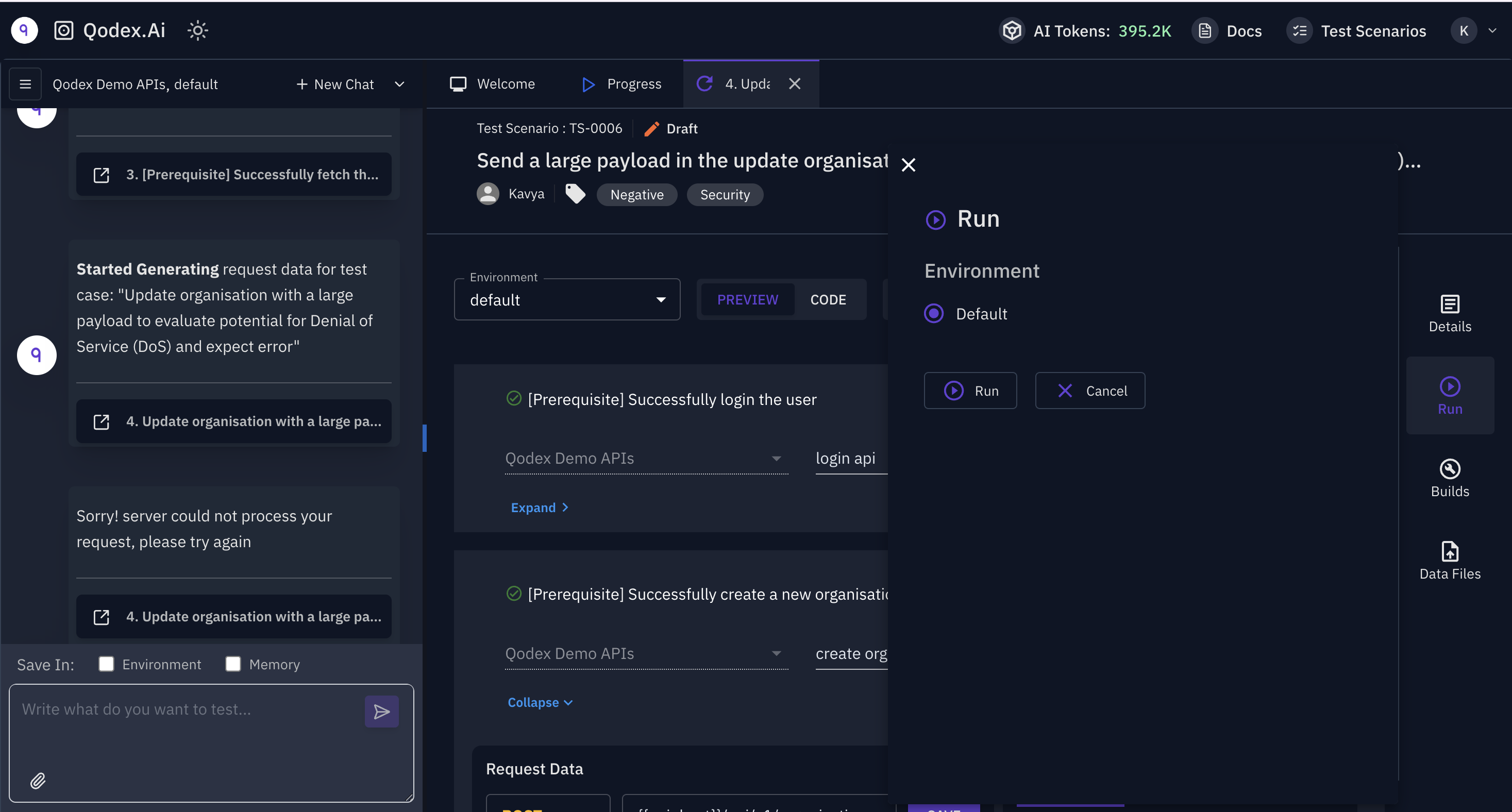
From the Qodex Web App
- Go to Test Scenarios in the left sidebar.
- Locate the specific test scenario you want to run.
- Click the Run button (▶️ icon) next to it.
- Choose the environment (e.g., staging, dev, production).
- Hit Run Test and view the execution in the Build Reports tab.
- Request/response details
- Logs
- Pass/fail summary
- Fix suggestions (if previously passed and now failing)