If you’ve ever tested a login API and then copied the token manually to authenticate another request you already know how repetitive that gets. PostScripts in Qodex.ai are built to make that problem disappear.Documentation Index
Fetch the complete documentation index at: https://qodex.ai/docs/llms.txt
Use this file to discover all available pages before exploring further.
What Are PostScripts?
PostScripts are automation snippets that allow you to capture values from API responses and store them in variables - all in real-time, without writing complex code. They’re powerful because you can:- Automatically extract values like access tokens, user IDs, or emails
- Store them in environment variables
- Reuse them in subsequent API requests without manual copying
Why Are They Valuable?
Here’s what PostScripts unlock for developers:- Token Automation: Skip manual copy-paste - extract login tokens automatically
- Multi-step Testing: Seamlessly test chained APIs like Login → Fetch Profile → Get Data
- Clean Environments: No more hardcoded values; your environment stays dynamic
- Less Error-Prone: Ensures consistency across APIs by using fresh response values
- Great for CI/CD: Ideal for automated pipelines and QA where tokens must be fetched fresh every time
Example Use Case: Login → Get Organizations
Let’s say you’re testing an auth flow where:- POST /sign_in returns a JWT token
- GET /organizations needs that token in the Authorization header
Step 1: Send Login Request
Call the login endpoint with user credentials. You’ll get a JSON like:Step 2: Save JWT Using a PostScript
Navigate to the PostScript tab for this request and enter:- This takes the JWT field from the response
- Saves it as a variable called jwt_token
- Hit Send and the variable will be saved in the selected environment
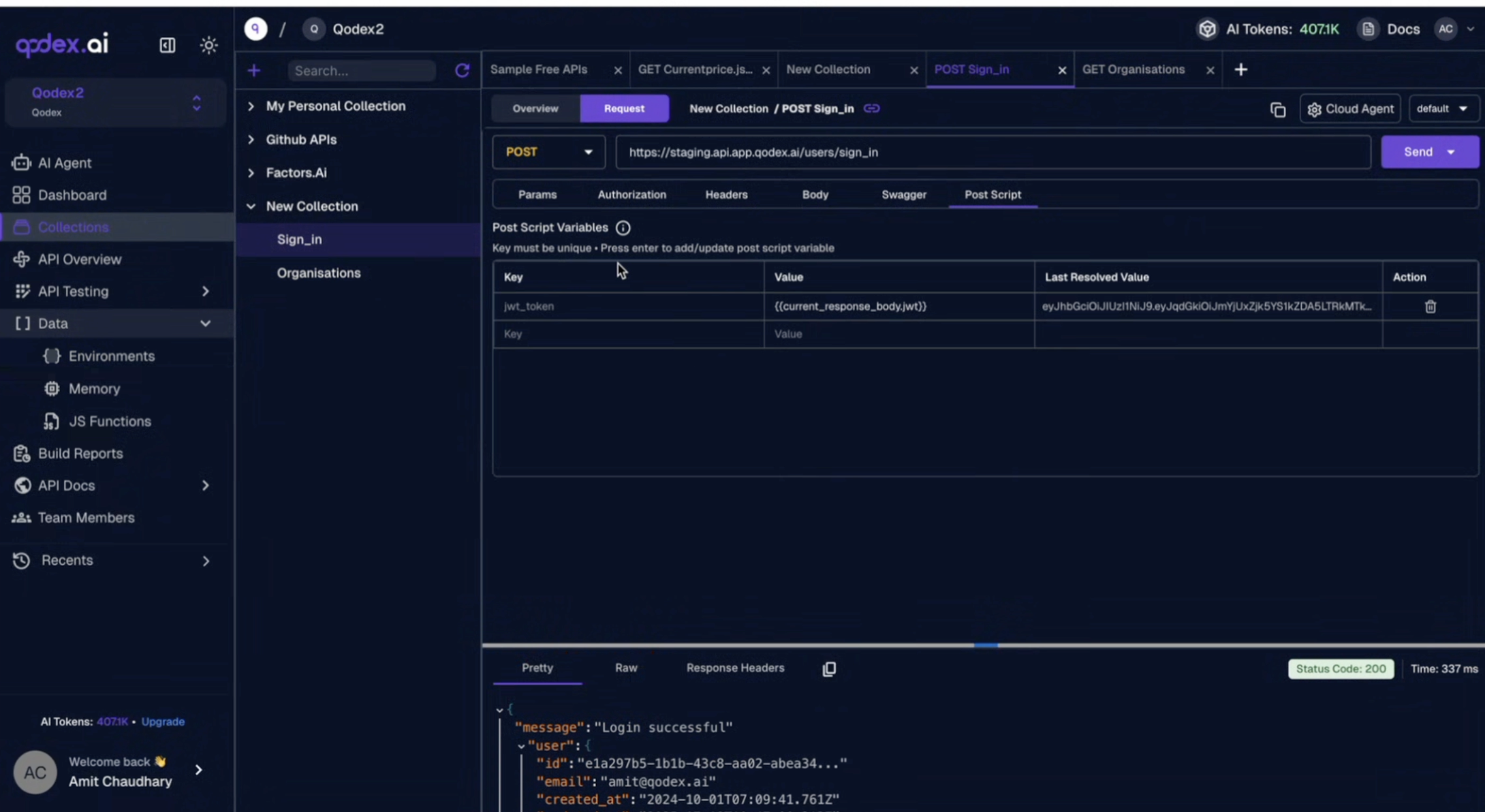
Step 3: Check It’s Stored
Head to the Environment tab. You’ll now see: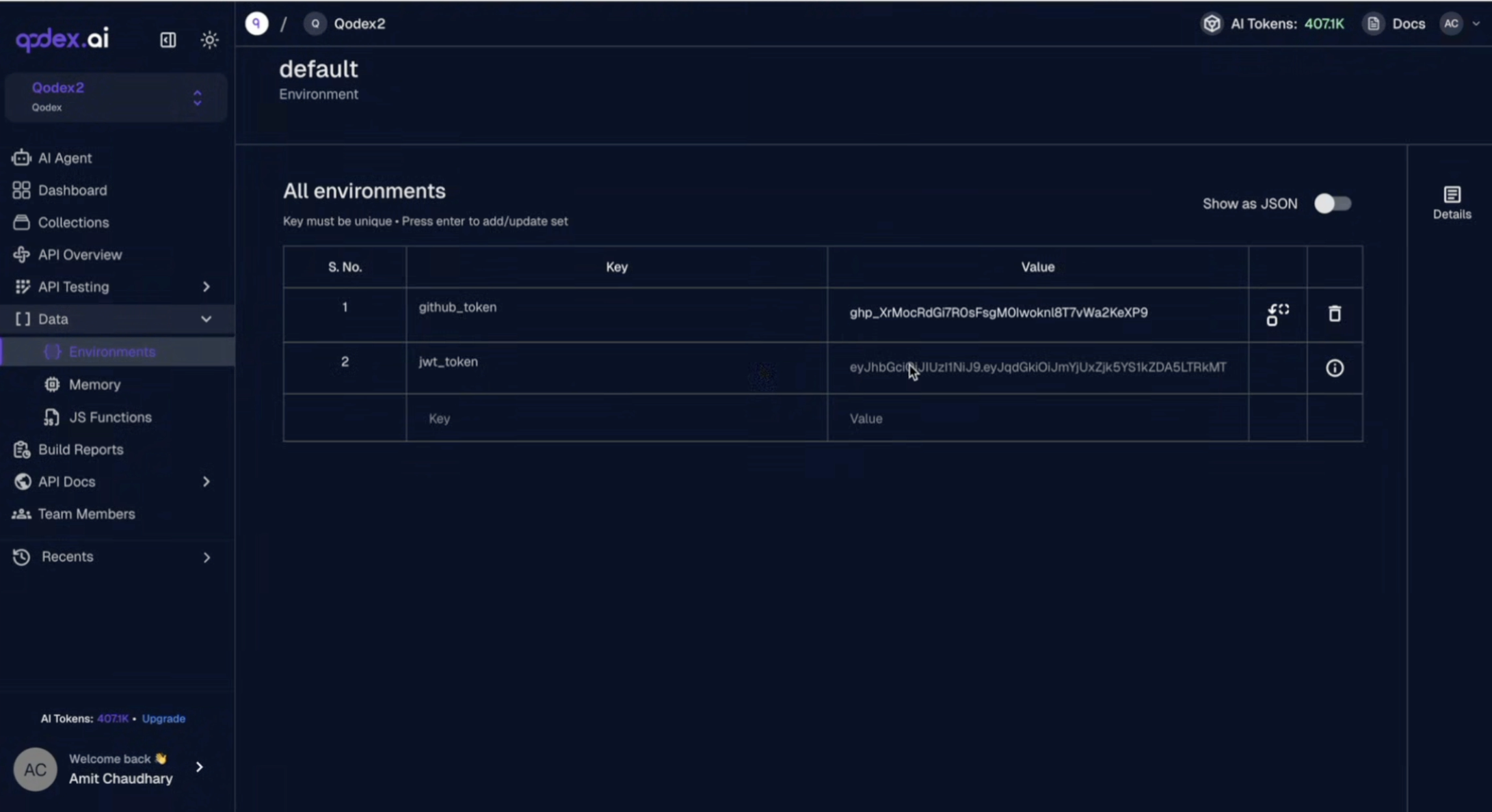
Step 4: Use the Token in Another API
In your GET /organizations request, go to Headers:Best Practices
- Always wrap PostScript variables with braces
- Only use keys from the actual response (check structure before using)
- Avoid static text in PostScripts. They may break automation flows
- Use clear variable names like auth_token, user_id, refresh_token, etc.