
Security scenarios
Security scenarios are repeatable tests for attack behavior. They look like normal API scenarios, but their meaning is different: pass means the app blocked the attack, and fail means the app may be vulnerable. This lets security checks live beside functional tests without losing the evidence and severity model needed for security work.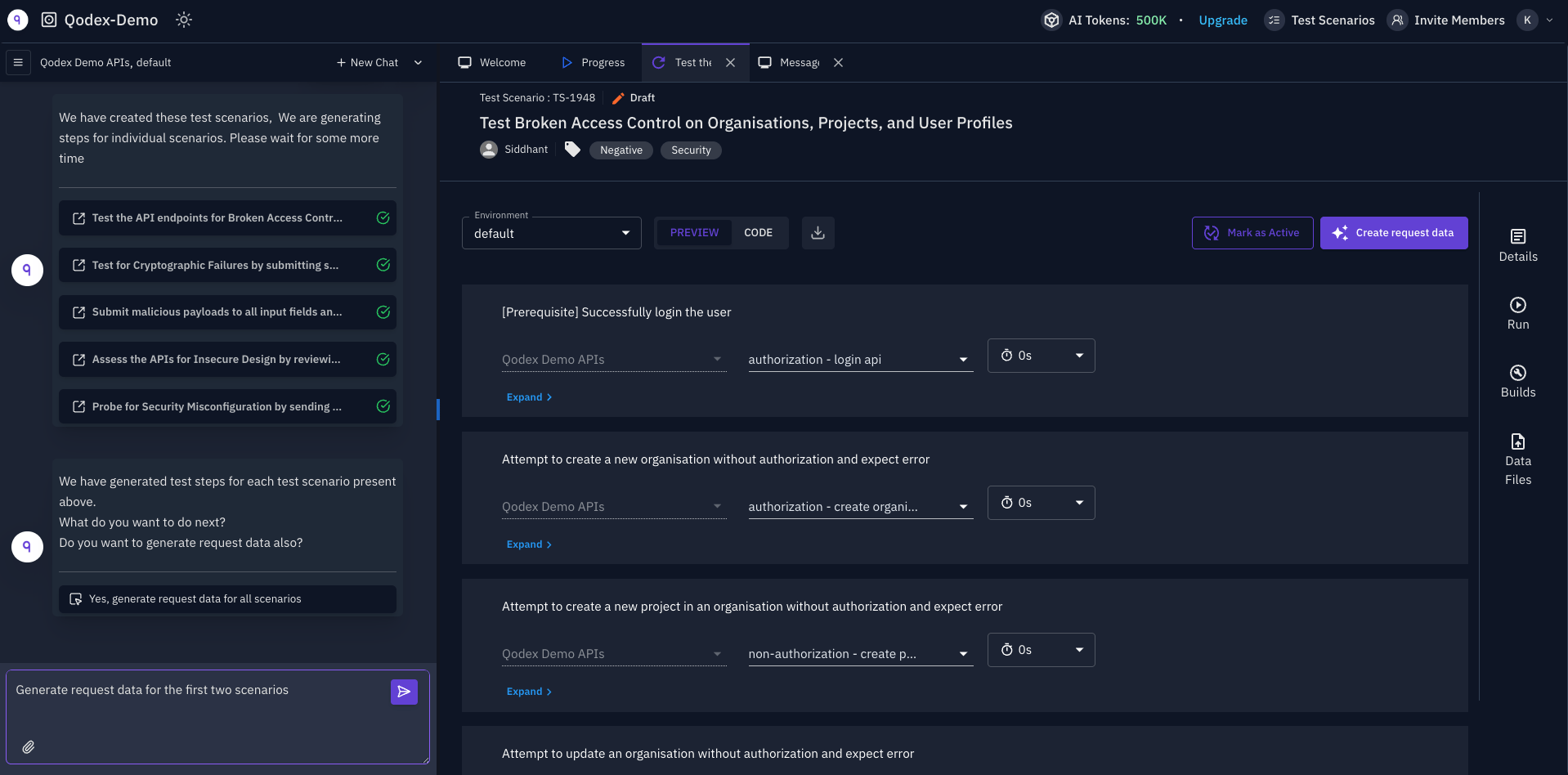
Functional scenario vs security scenario
A functional scenario checks that the app does what it should do. A security scenario checks that the app refuses what it should not allow.
This difference is important. A failing security scenario is not something Qodex should “fix” by changing the expected status to
200. The failure is the signal.
How Qodex authors them
Security scenarios are created by the API security testing skill. In chat, pick Security Testing from the skill list or start your message with/security. Qodex also picks it on its own when your request mentions OWASP, BOLA, IDOR, injection, SSRF, or similar terms.
There is no separate pentest skill in chat. Full penetration scanning of a whole target runs as a Security scan, started by a project admin from Security scans.
Every check follows the same sequence:
- Scope: resolves your request to a concrete list of endpoints.
- Rules: reads the rules you wrote in Knowledge before it attacks, because they decide what counts as a vulnerability.
- Baseline: makes the legitimate request first and confirms it works.
- Attack: sends the attacking request with a real payload.
- Observe: records the exact request and response.
- Classify: decides whether the attack was exploited, defended, failed on a prerequisite (for example an expired session), or the assertion was wrong for your rules.
- Admit: only an exploited result becomes a finding.
Rules of engagement
Chat security testing runs against a live target, so it stays bounded:- At most 10 requests per second per target.
- Test accounts and test data only.
- No destructive payloads, and no data-corrupting writes on records Qodex did not create.
- No denial-of-service.
- Qodex stops and reports if it sees real personal data of a third party.
Authoring from chat
Describe the surface and the risk you care about:- Endpoint scope: “Only
/api/v1/orders/*.” - Role scope: “Run as viewer against admin endpoints.”
- Attack scope: “Skip rate limiting because it already ran today.”
- Environment scope: “Use staging, not production.”
How severity is chosen
Severity is the worst realistic outcome, capped by who can reach it. An effect that only a privileged account or an internal surface can trigger is medium at most. Crossing a tenant boundary is what makes a finding high.
Every finding includes request and response evidence, a basis (the rule, endpoint note, or your words that say the behavior is wrong), reproduction steps, suggested remediation, and the OWASP category when applicable.
Environment constraints
Before creating or running security scenarios, Qodex reads the active environment. Constraints decide what the agent is allowed to attempt:- Read-only blocks every request except GET, HEAD, and OPTIONS to that environment’s hosts. The one exception is the login request the environment is configured with.
- Scenarios tagged
destructiveare skipped on an environment that is read-only or has destructive tests turned off. - Chat security testing never exceeds 10 requests per second, whatever the environment allows.
Related
Inverted semantics
Learn the rule that protects security assertions.
OWASP API Top 10 in Qodex
See which probes Qodex runs for each category.
Sensitive endpoints
Understand how environment flags scope active tests.
API scenarios
Review the scenario model shared with API testing.